
Releasing pretalx v2026.1.0
April 15, 2026We're happy to announce pretalx v2026.1.0!
As always, users of pretalx.com don't need to take any action – you’re always using the latest pretalx version. Administrators of self-hosted instances and developers of pretalx customizations and plugins should check the detailed release notes for any relevant changes. Additionally, administrators of self-hosted instances should note that this release contains fixes for two critical security issues (see below).
Thanks go to the pretalx community for their contributions to this release: to everyone who reported issues, translated strings (special shoutout to our new Ukrainian translation!), sent pull requests, and kept nudging us about the features they needed.
This release has been a little over four months in the making, so it's a big one – grab a coffee.
The new CfP editor
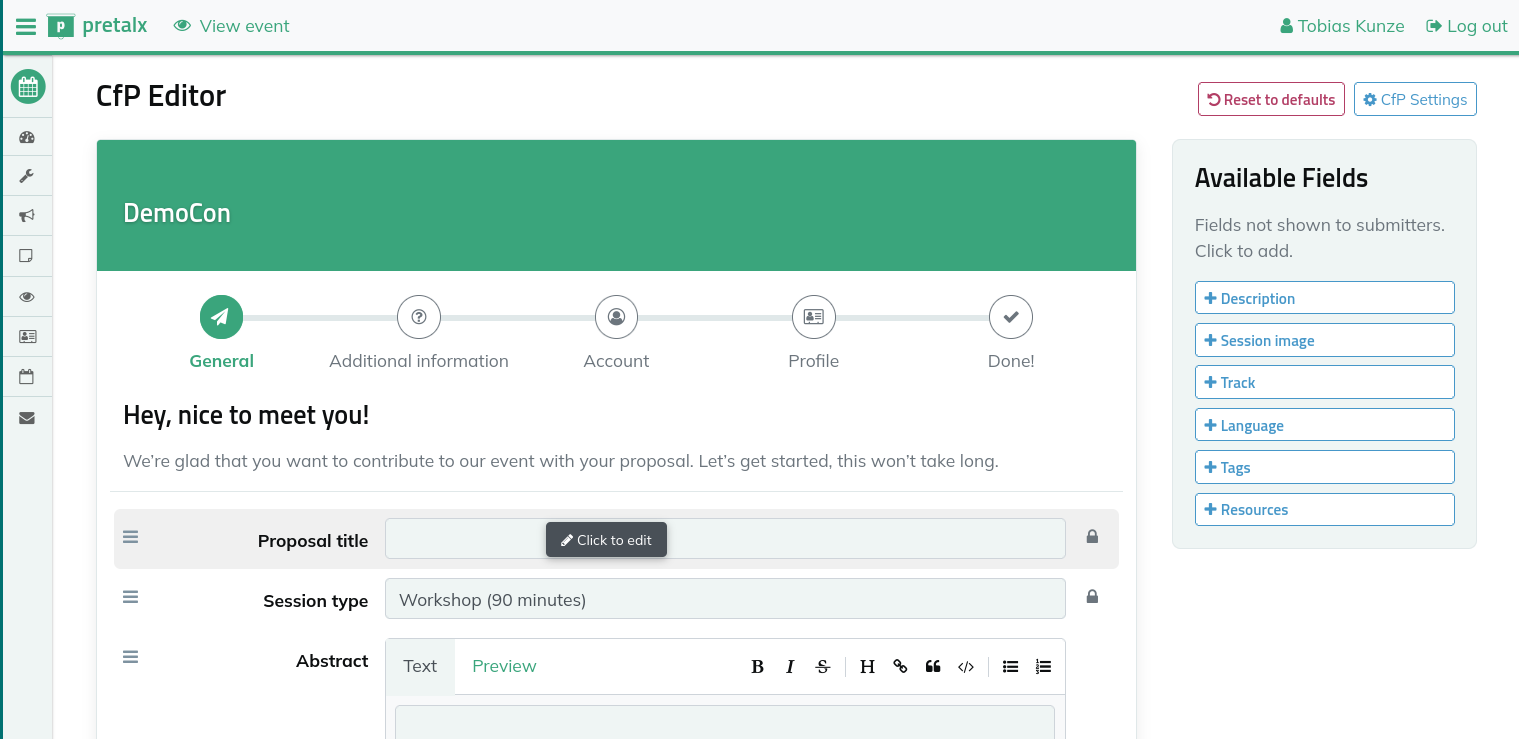
The Call for Participation editor has been completely rebuilt. Organisers now work in a preview of what submitters will see in the CfP process. Not only can you change field visibility, labels, help text and length limits directly inside the editor, but we finally built a long-awaited feature: You can finally reorder fields on each CfP page. You can change their order by dragging them around, so you can now group related information together in a way that makes sense for your event.
Cross-event speaker profiles
Speakers who submit to multiple events on the same pretalx instance now get proper cross-event support. Up until now, some data was always shared between events, such as the speaker name and profile picture, and some data was never shared, such as the speaker biography field. No more:
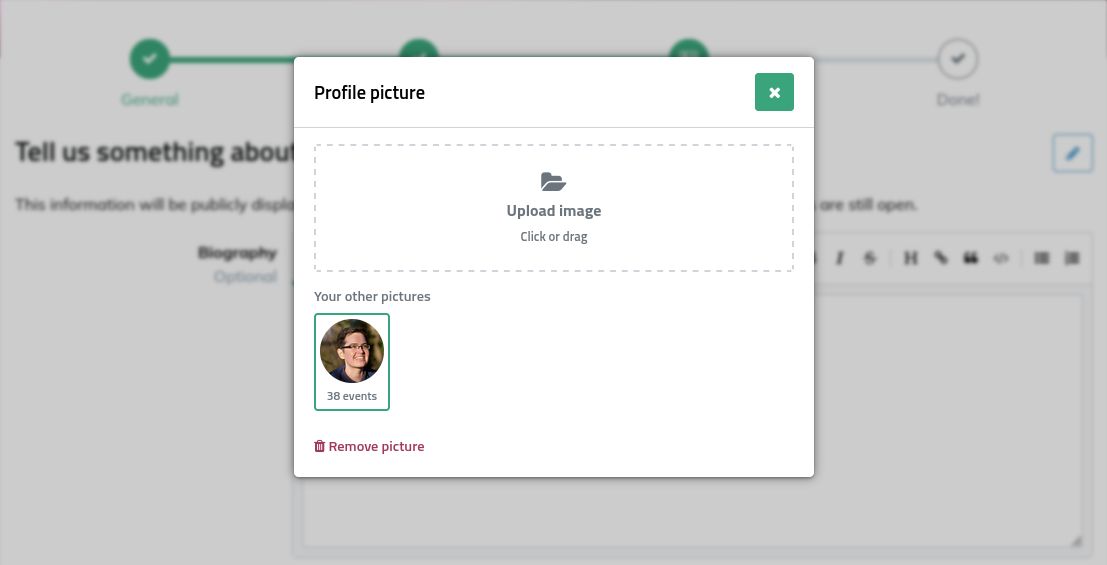
Now, names and profile pictures can be set per event – so your corporate headshot for the industry conference and your fun picture for the community meetup no longer have to be the same image. You always have the option of re-using a previous profile picture for a new event too, of course. On the other hand, when you start a submission at a new event, pretalx will now also offer biography texts from events you have submitted to in the past as suggestions, so you don’t have to dig up old text files or retype everything from scratch.
Blocker sessions in the schedule editor
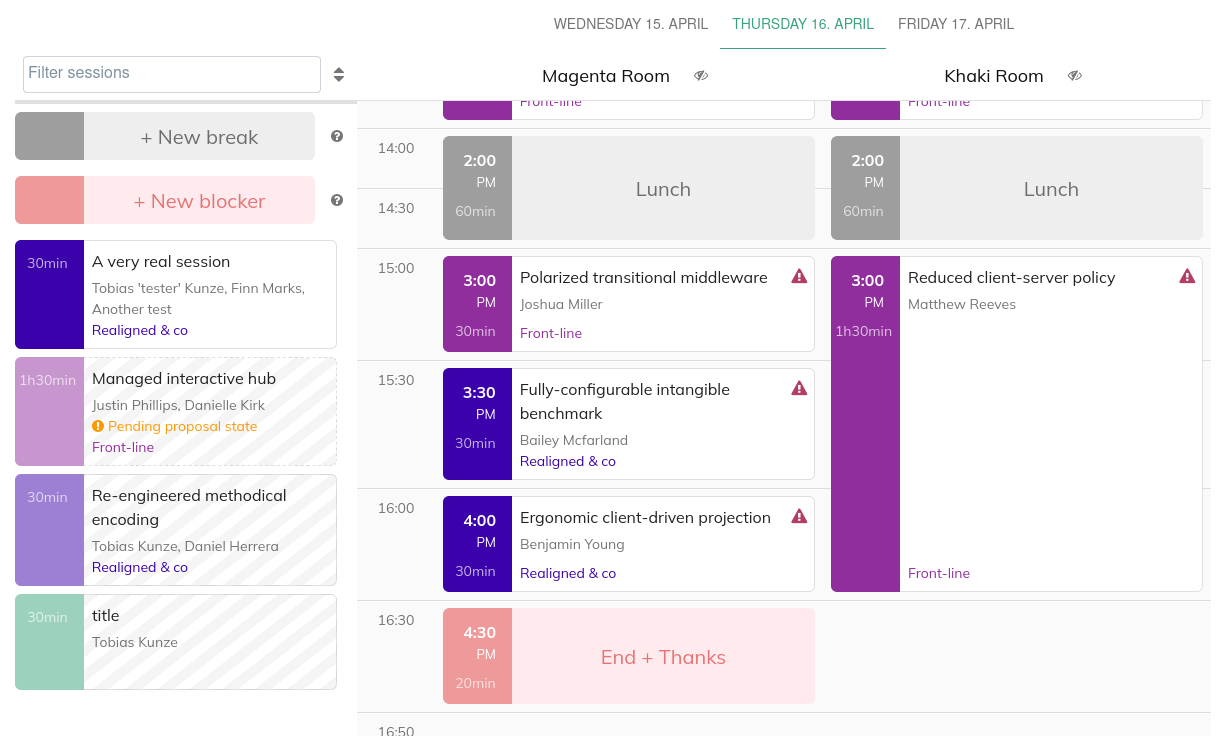
If you’ve ever had a session mysteriously land on top of a slot you were holding open for a keynote, a sponsor pitch, or a room setup break, you’ll be happy to hear that pretalx now offers blocker sessions. Blocker sessions work similarly to breaks: you can place them in the schedule editor to reserve slots, but unlike breaks, they never become public.
Custom fonts
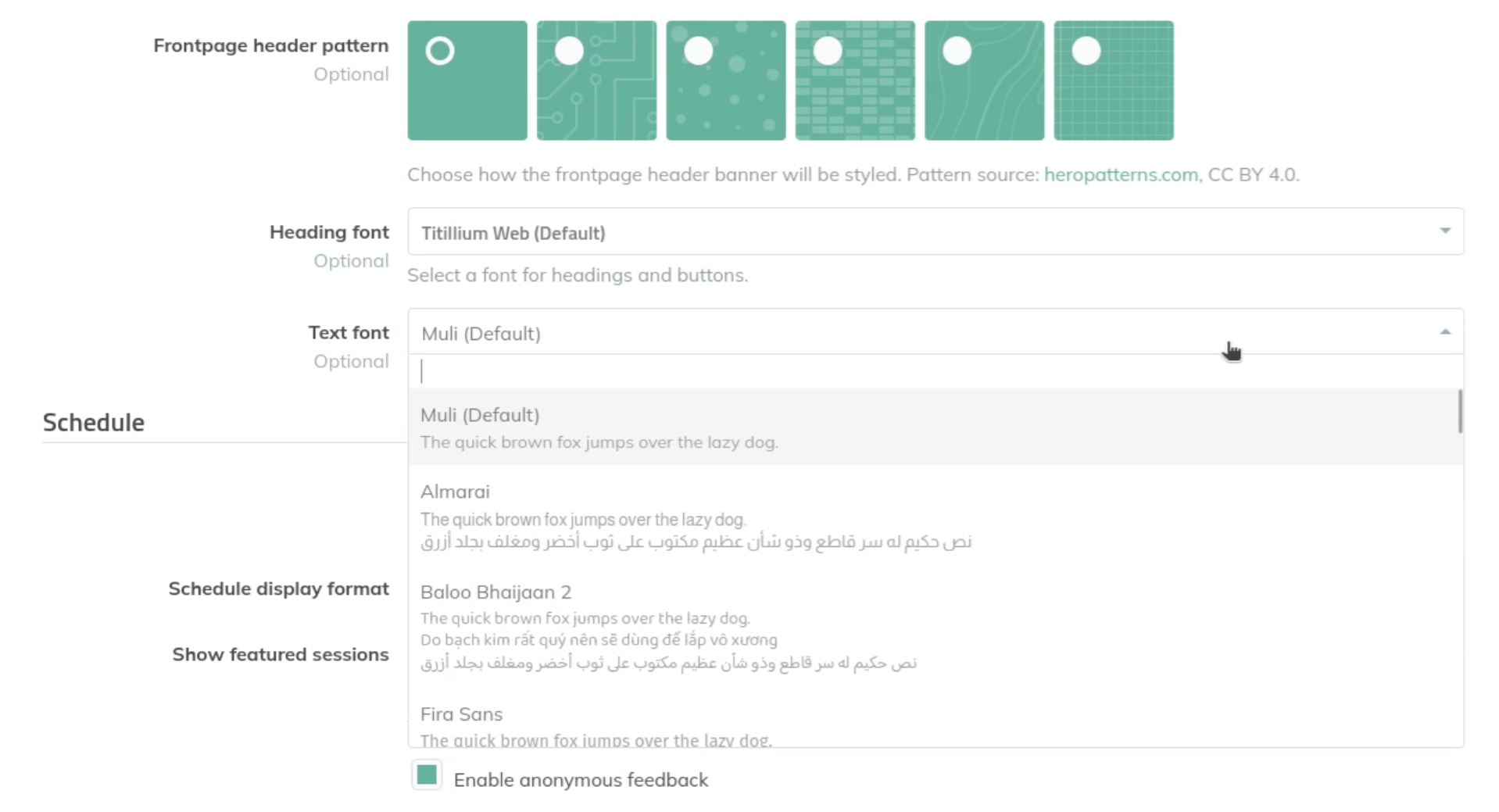
You can now set custom fonts for your event, with separate choices for body text and headings, so you can match your event's branding rather than relying on the default pretalx fonts.
Fonts can be provided via plugins, and the pretalx-fontpack-free plugin provides an initial selection of free fonts. If your font of choice is not included, let us know!
Better schedule filters
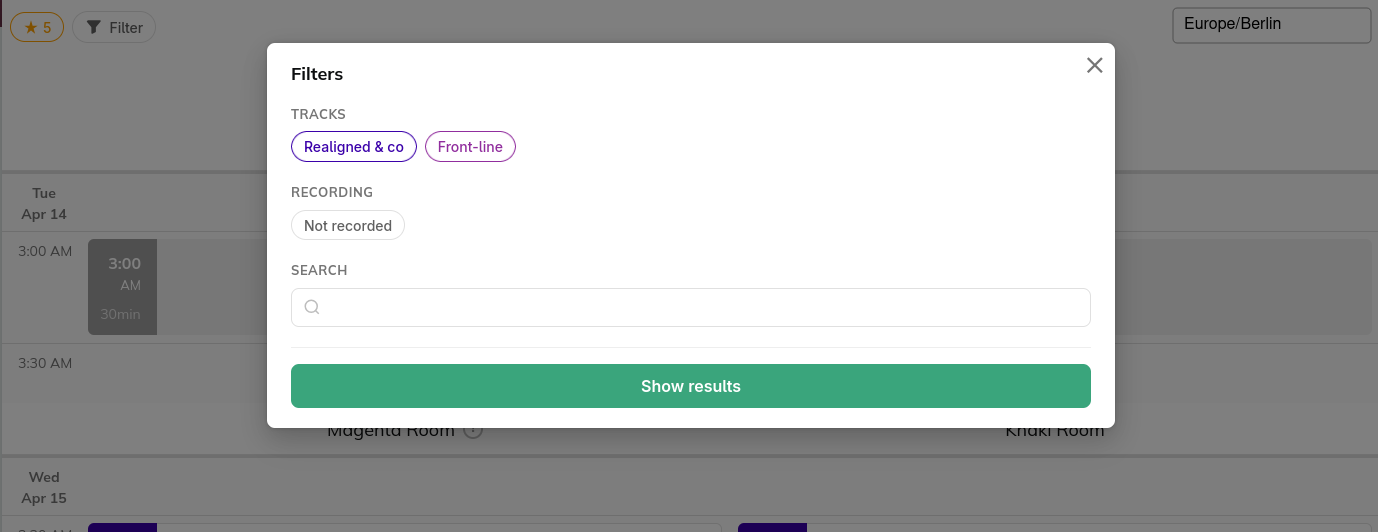
The public schedule got a filter overhaul. You can now filter by session language, and – new, and long requested – filter for sessions that aren’t being recorded, perfect for attendees who plan to catch the rest on video later. The filter UI itself has been redesigned to be less cramped and easier to use on small screens.
While we were in there, we also fixed a long-standing annoyance: the schedule no longer automatically scrolls itself to the current time when you open the page (instead, a "Jump to now" button appears). This is particularly helpful for embedded schedules, where the auto-jump was a common source of frustration.
Other Features
As always, there's a long tail of quality-of-life improvements worth mentioning:
- Markdown editing, finally comfortable. All Markdown fields now have a formatting toolbar and keyboard shortcuts for all formatting actions. Additionally, pasting a URL with text selected wraps it as a Markdown link.
- Custom speaker order on session pages – another very long-requested feature. You can now decide in which order multiple speakers of the same session are listed.
- Submitter tags: Organisers can now ask submitters to add tags to their own proposals. Only public tags are offered; organisers can still keep additional private tags for internal use.
- Co-speaker invite tracking: When speakers invite a co-speaker, the invite is now tracked and shown to organisers, so you can see who's waiting on whom.
- Maximum speaker count per proposal can now be configured as part of the CfP settings.
- Full-text search mode for session and speaker searches, which includes all built-in text fields in the search.
- Access codes can now grant access to multiple tracks and session types at once, instead of being limited to a single one each.
- Secondary sort column in organiser list views, so you can say "sort by track, then by title" and have it work.
- Background email sending: Composing and bulk-sending emails to many recipients now runs in the background with a progress page, so no more gateway timeouts when you're blasting out schedule notifications to 500 speakers.
- SMTP error reporting: When a custom SMTP server rejects a mail, the error is now detected and reported in the organiser interface, and sending can be retried from there instead of silently disappearing.
- Schedule widget now shows resources (file uploads and links) like the pretalx session pages do.
- We've also continued to expand our user guide.
And a lot more – the full list is in the changelog.
Security fixes
This release also fixes two security issues. Neither has been exploited in the wild to our knowledge, but we strongly encourage administrators of self-hosted instances to upgrade. pretalx.com users are already running the fixed version.
- An issue that allowed unescaped content in email placeholders to be rendered as links, reported by Mark Fijneman. (See the GitHub security advisory for details.)
- A cross-site scripting issue in a specific organiser-facing context, reported by Elad Meged from Novee Security. (See the GitHub security advisory for details.)
Our thanks to both reporters for their responsible disclosure.
Upcoming
With cross-event speaker profiles in place, we're continuing to work on making pretalx a better home for speakers across events – support for different speaker name schemes (first/last, titles, etc.) and speaker roles are both on the roadmap for later in 2026.
To get updates on pretalx, follow us on Mastodon, LinkedIn, or Twitter. If you'd like to contribute or commission features, get in touch.


